How to Use the Customized Tick Chart on Webull Desktop Platform

Step-by-Step Guide to Accessing the Tick Chart
1. Open Webull Desktop Platform: Launch the Webull desktop application and log in to your account.
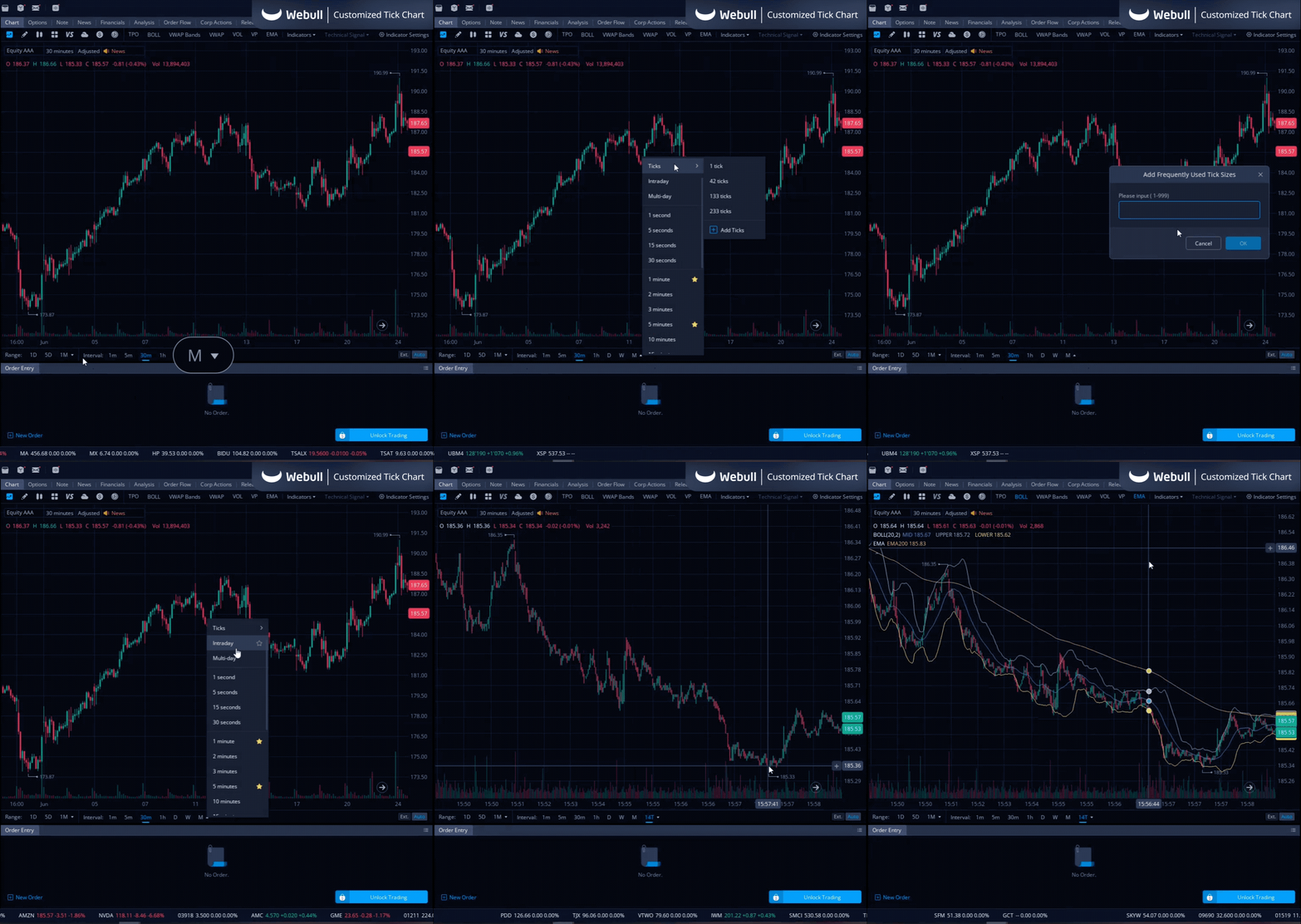
2. Navigate to a Chart on the Platform: Open any chart on the Webull platform.
3. Select Tick Chart:
- Click on the small arrow next to the monthly interval chart.
- Hover over the 'Tick Chart' option.
- Choose one of the preset charts: 1 tick, 42 ticks, 133 ticks, or 266 ticks.
- To create a custom tick interval, click on the blue plus sign below the 266 ticks option and set your desired interval between 1-999 ticks.
Using the Customized Tick Chart for Trading
Interpreting tick charts could help your trading in fast-moving markets. Here are a few tips:
- Identify Trends: Look for patterns in the tick movements to identify short-term trends.
- Volume Analysis: High volume spikes can indicate significant price movements or reversals.
- Combine with Other Indicators: Use your customized tick chart alongside other indicators to validate trading signals.
For example, if you notice a spike in tick volume accompanied by a moving average crossover, it might signal a trading opportunity.
The Bottom Line
Customizing your tick chart on the Webull desktop platform can upgrade your trading experience by providing a more detailed view of market activity. Experiment with different settings and indicators to find what works best for you. Check out the Webull Learn Center for more guides on using Webull’s features and for more knowledge on Stocks, Options, and ETFs, and make sure to check out the Desktop Platform!
