How to Use the Price Ladder/Depth of Market on Webull Desktop

What is the Price Ladder/Depth of Market?
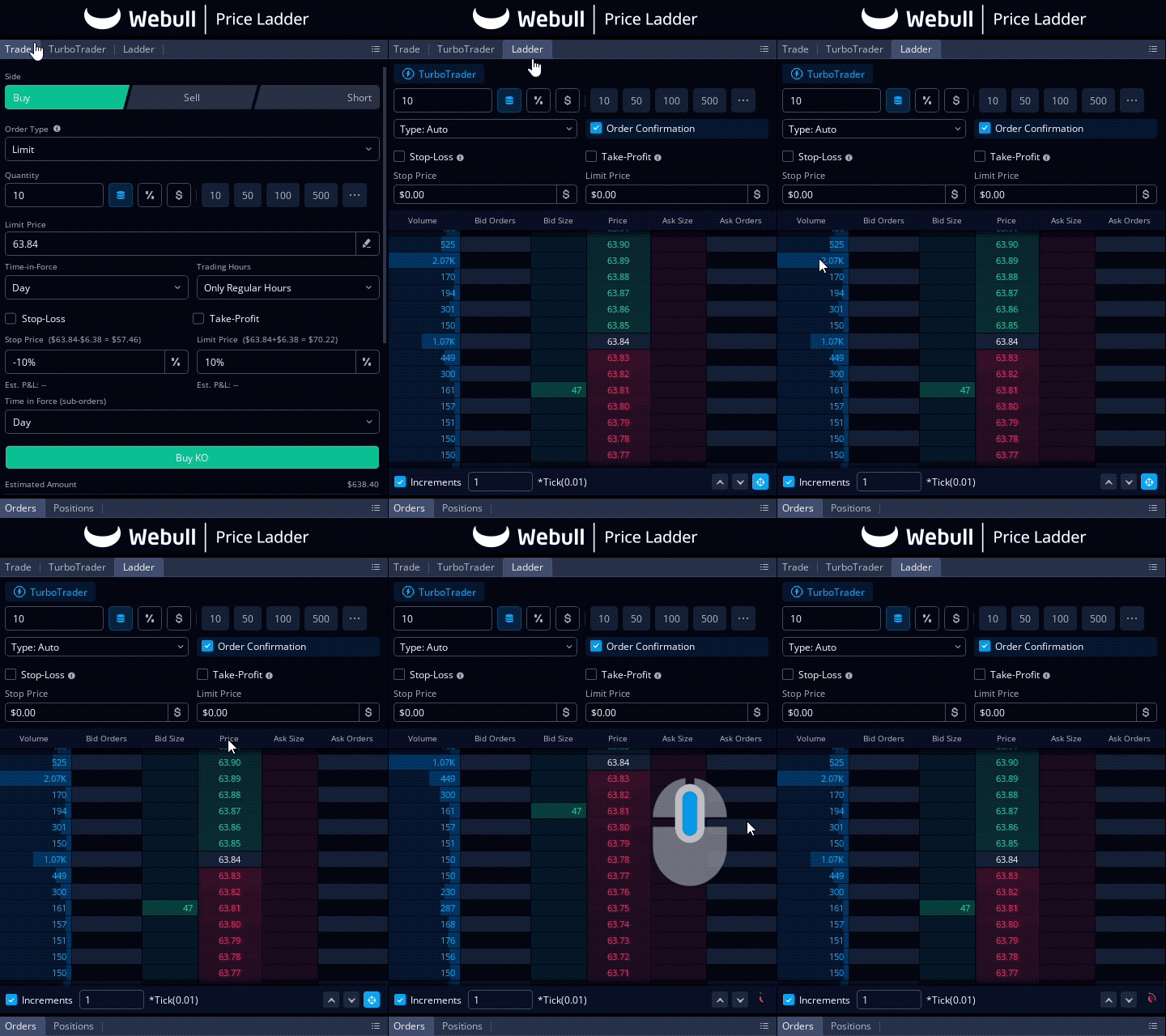
The Price Ladder/Depth of Market feature provides a real-time view of the volume at specific price levels, along with the bid and ask sizes. This tool helps you make informed trading decisions by showing the market depth at different price points.
To follow along watch our desktop tutorial video below:
Understanding the Interface
1. Volume: The leftmost column shows the volume at each price level.
2. Bid Orders and Bid Size: The next two columns display the number of bid orders and the total bid size at various prices.
3. Price: The middle column shows the current market prices.
4. Ask Size and Ask Orders: The two columns on the right display the ask sizes and the number of ask orders.
Features at the Top
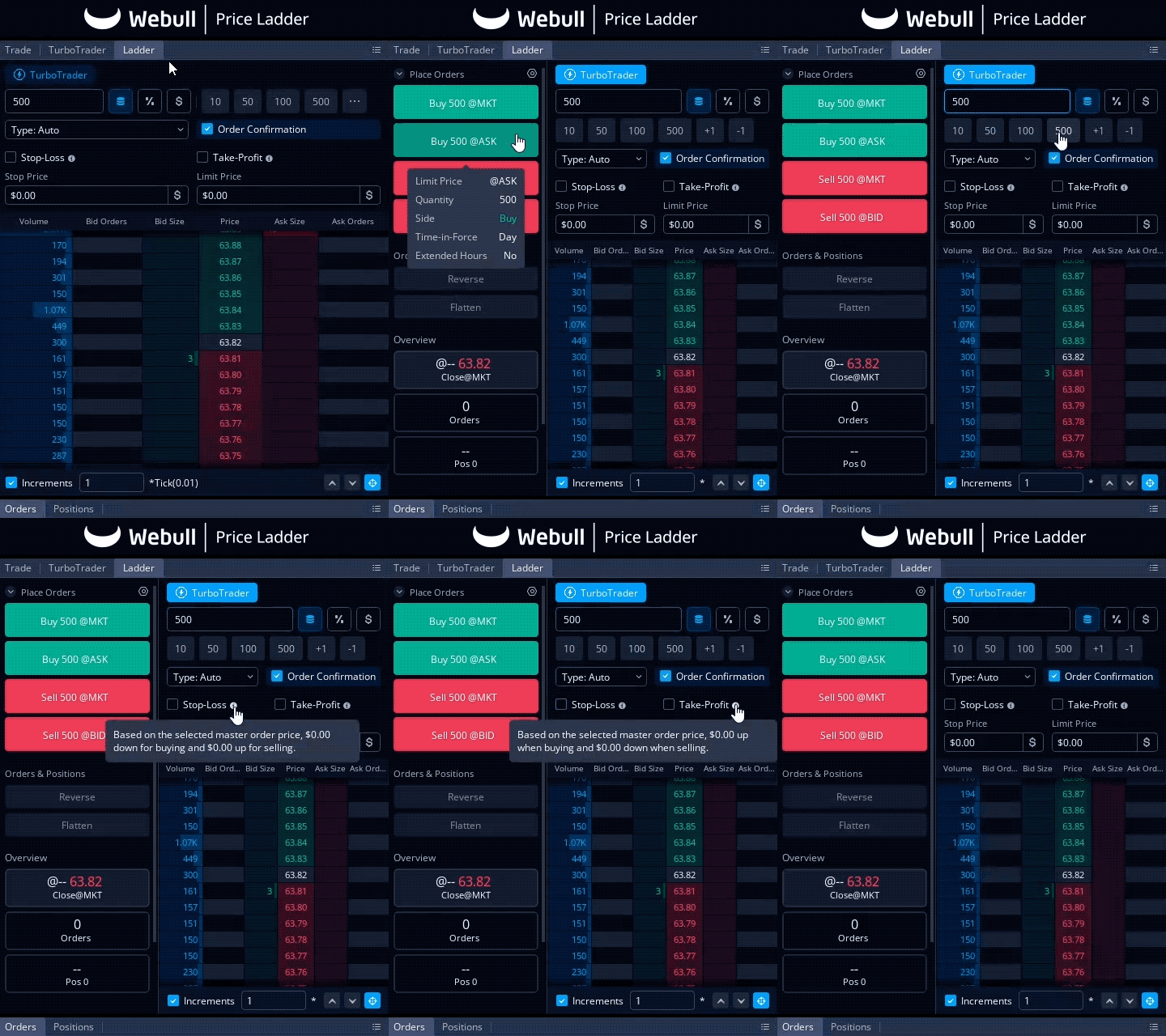
At the top of the Price Ladder, you’ll find several features to customize your orders:
- Quantity: Specify the number of shares or contracts you want to trade.
- Order Type (Auto or Limit): Choose between automatic order selection or strictly limit orders to control how your orders are executed.
- Order Confirmation: Check this box to receive a confirmation prompt before your order is placed, ensuring you double-check your trade details.
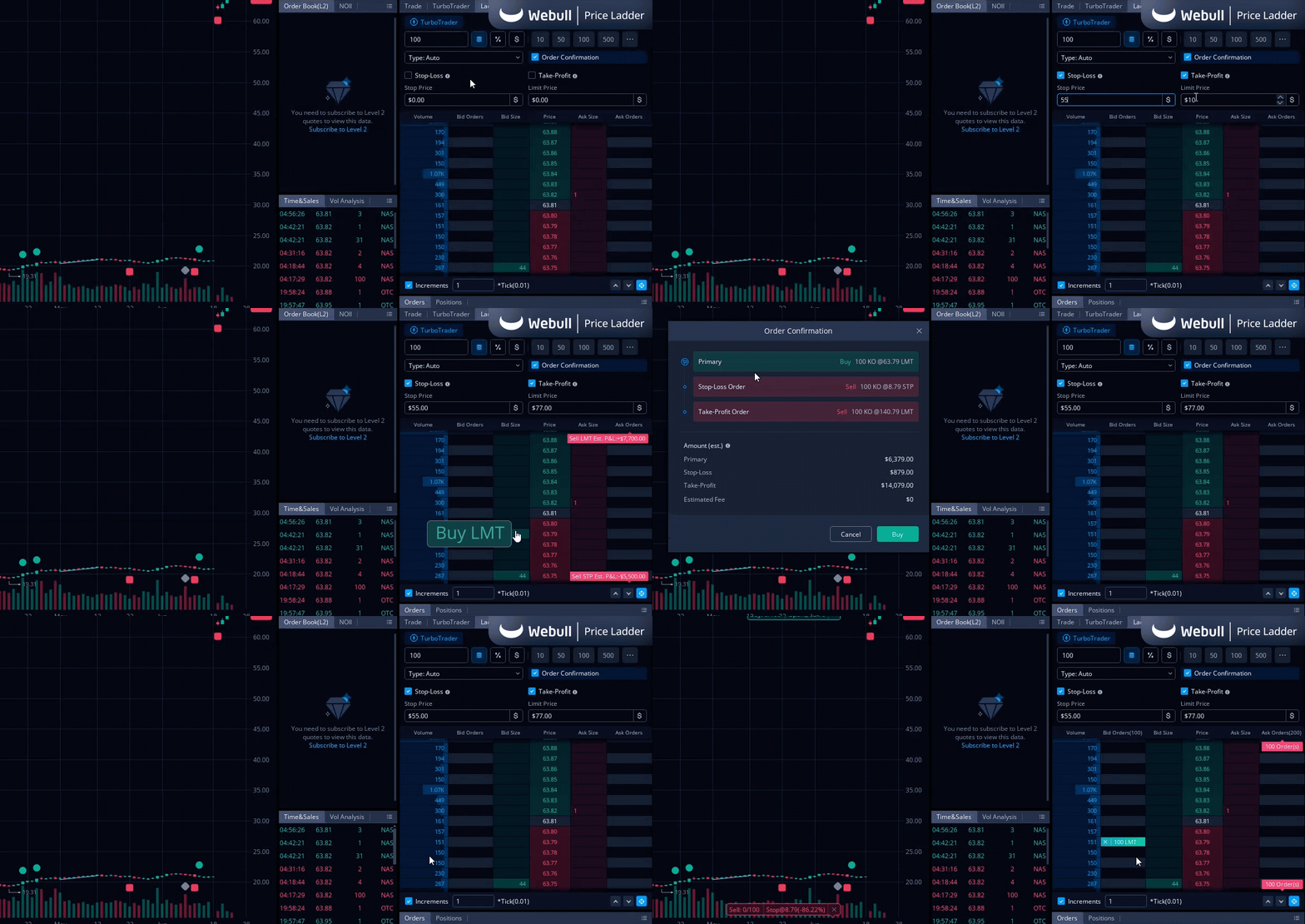
- Stop-Loss and Take-Profit: These options allow you to set automatic exit points for your trades, turning your order into a bracket order. This helps manage risk by automatically closing your position if the price moves unfavorably or locks in profits once a target price is reached.
Placing Orders
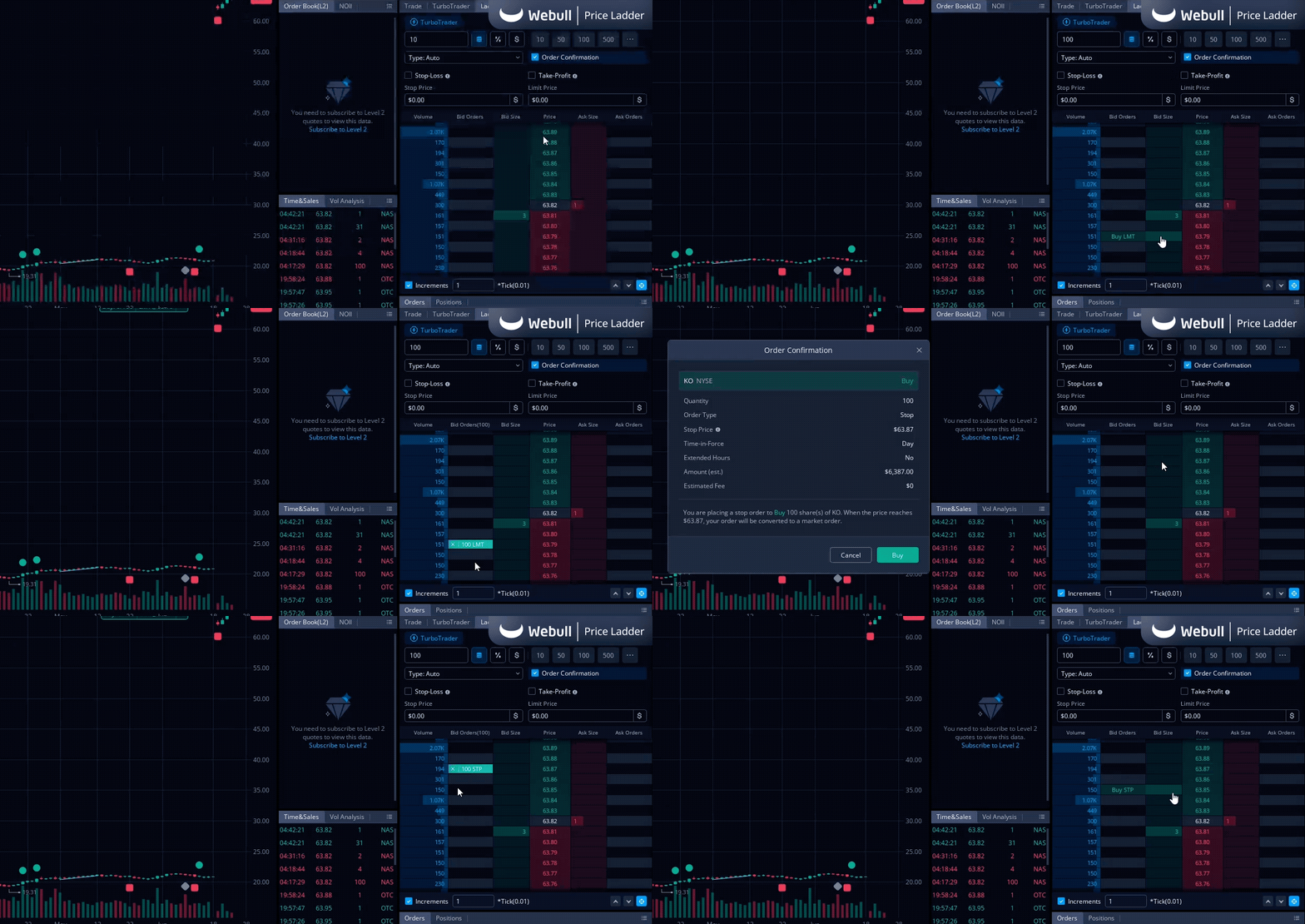
Using the Price Ladder, you can quickly place different types of orders. Here’s how:
Placing a Buy Order
- Below the Current Price: Click on the bid size to place a limit buy order. This sets the highest price you are willing to pay for the asset.
- Above the Current Price: Click on the bid size to place a buy stop order. This triggers a buy order once the asset's price reaches your specified stop price.
Placing a Sell Order
• Below the Current Price: Click on the ask size to place a sell stop order. This triggers a sell order when the asset’s price falls to your specified stop price.
• Above the Current Price: Click on the ask size to place a sell limit order. This sets the lowest price at which you are willing to sell the asset.
Tips
- Order Confirmation: Ensure the "Order Confirmation" box is checked to receive a confirmation prompt before your order is placed.
- Stop-Loss and Take-Profit: Utilize these options to set automatic exit points for your trades, helping manage risk and lock in profits.
The Bottom Line
The Price Ladder/Depth of Market feature on Webull Desktop is a powerful tool for both novice and experienced traders. By understanding how to read and use this feature, you can make more informed trading decisions and execute your trades more efficiently. Make sure to check out the Webull Learn Center to read more about Stocks, ETFs, and Options.

All Comments