How to Use the Hotkey Function on Webull Desktop Platform

Accessing the Hotkey Menu
To begin setting up your hotkeys, follow these simple steps:
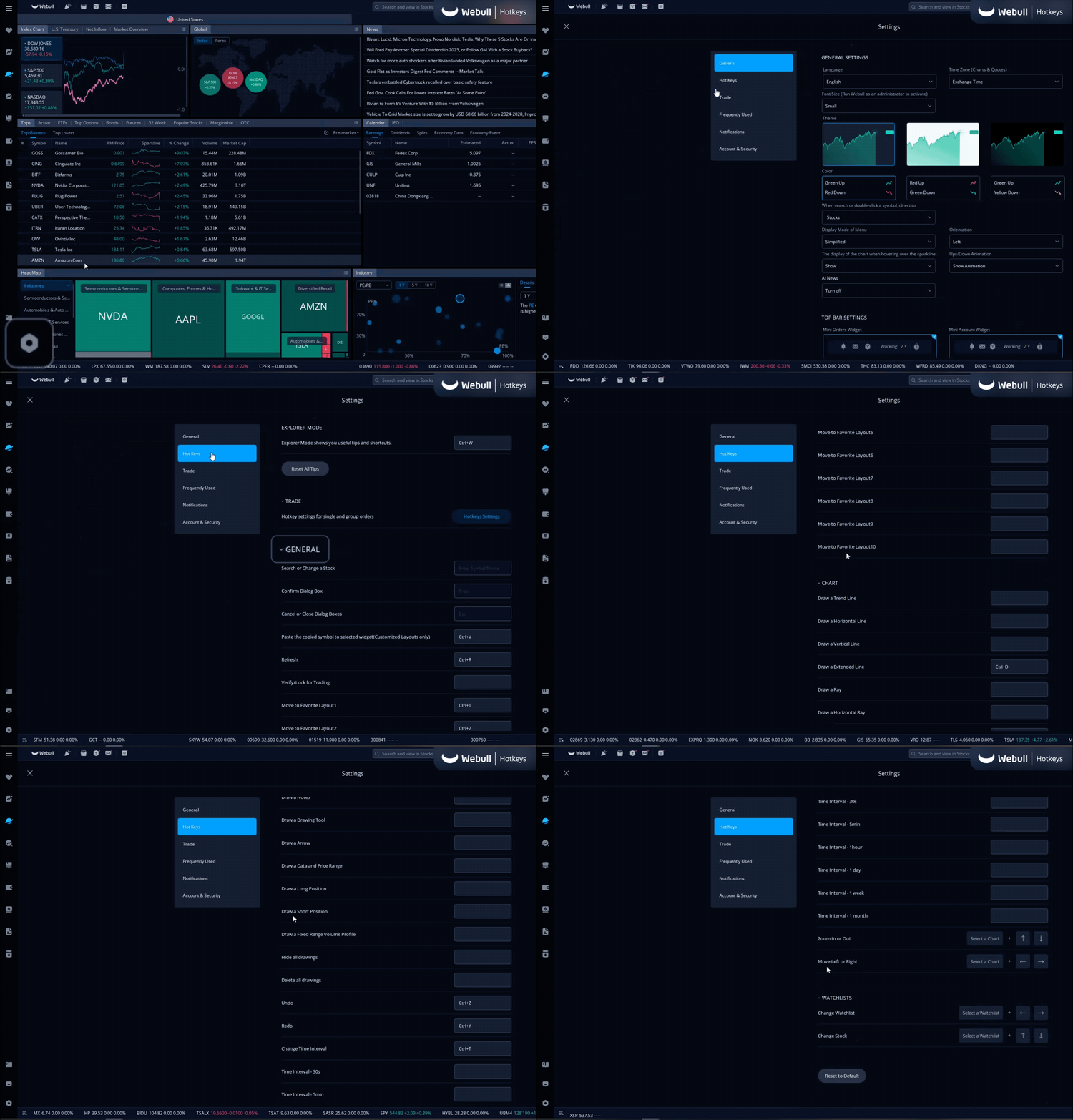
- Click the Gear Icon: Look for the gear icon located in the bottom left corner of your screen. Click on it to open the settings menu.
- Select Hot Keys: On the left side of your screen, click on the "Hot Keys" option. This will open the hotkeys settings menu.
Categories of Hotkeys
In the hotkey menu, you'll find different categories of hotkeys that you can customize:
- General: These are hotkeys for general functions.
- Chart: Customize hotkeys for chart-related actions.
- Watchlists: Set up hotkeys for managing your watchlists.
Each category is designed to streamline various aspects of your trading experience. Explore these categories and decide which functions you'd like to assign hotkeys to.
Setting Up Trading Hotkeys
For trading-specific hotkeys, follow these steps:
1. Navigate to Trading Hotkeys Settings: In the hotkey menu, find the "Hotkeys Settings" button under the Trade section. Click on it to access the trading hotkeys setup.
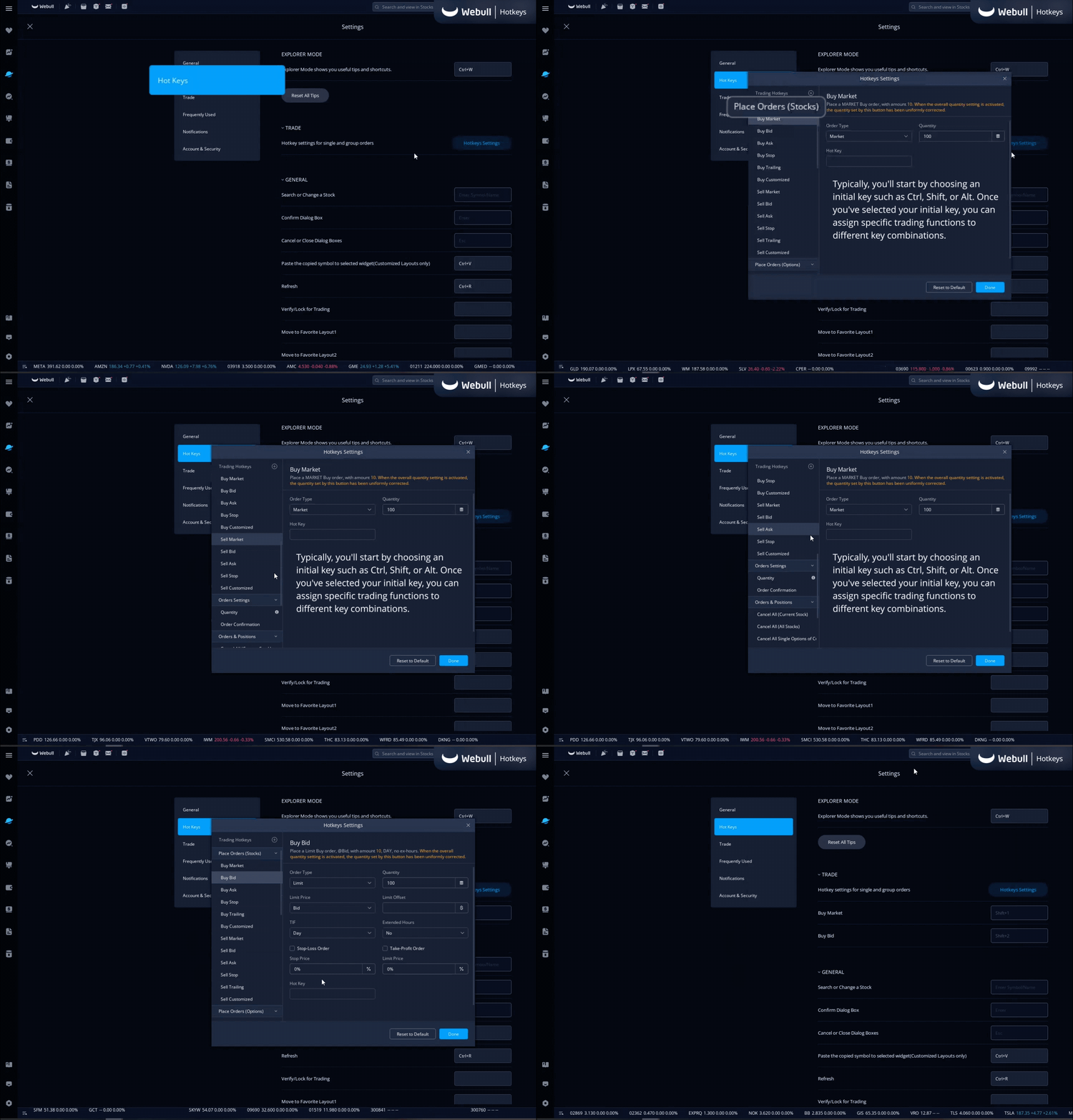
2. Assign Hotkeys: Here, you can set up your trading hotkeys. Typically, you'll start by choosing an initial key such as Ctrl, Shift, or Alt. Once you've selected your initial key, you can assign specific trading functions to different key combinations.
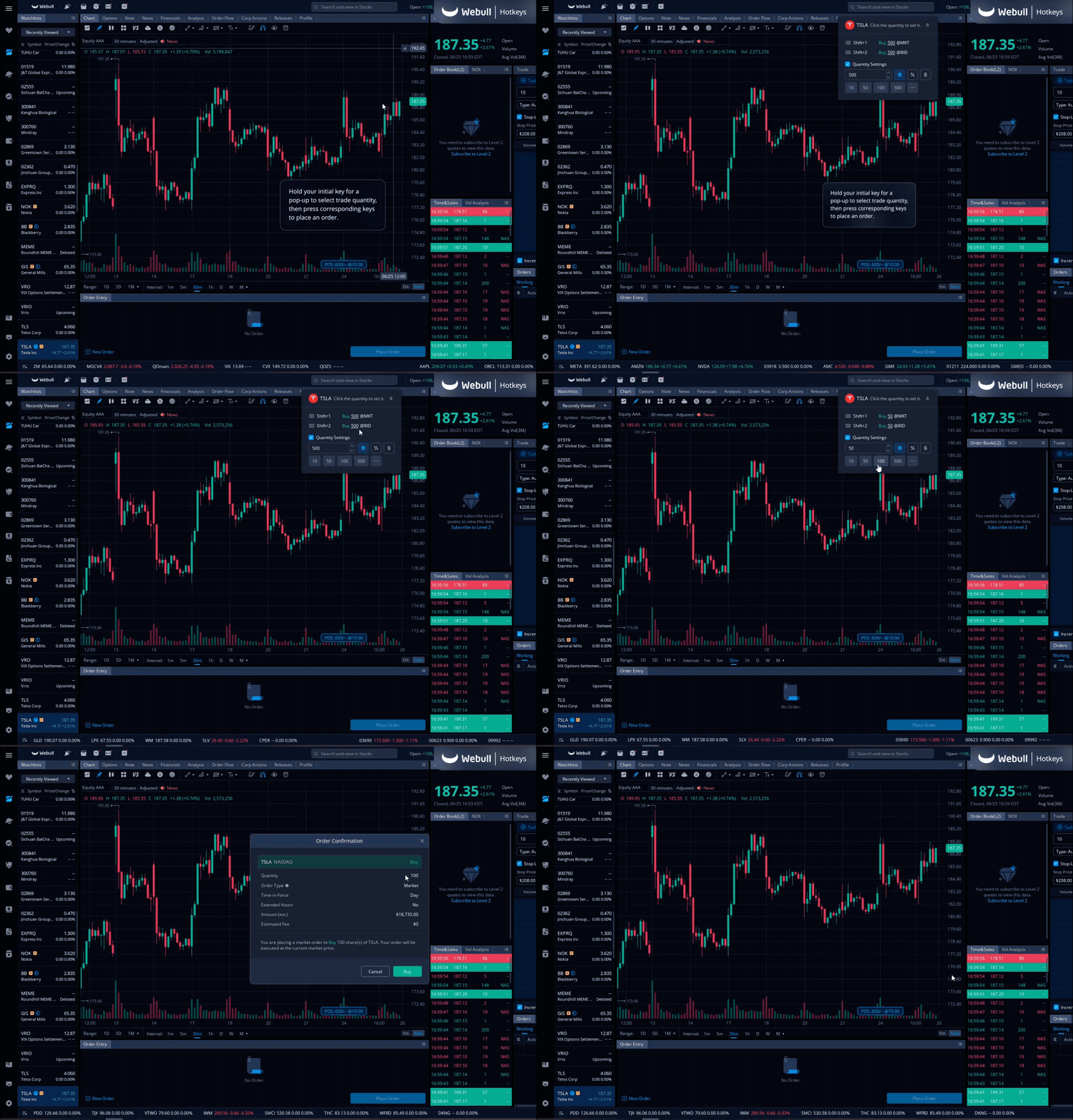
3. Activate Your Hotkeys: After setting up your hotkeys, you can use them by holding down your initial key. A menu will pop up, showing the hotkeys you have set up, allowing you to execute trades quickly and efficiently.
The Bottom Line
Using hotkeys on the Webull Desktop platform can greatly enhance your trading speed and efficiency. By customizing hotkeys for various functions, you can perform actions swiftly in your trades. Start exploring and setting up your hotkeys today to make the most out of your Webull trading experience. Check out the Webull Learn Center to enhance your investing knowledge on many different topics including Stocks, Options, and ETFs.

All Comments