How to use Webull Desktop in multiple screens

AuthorWebull Learn
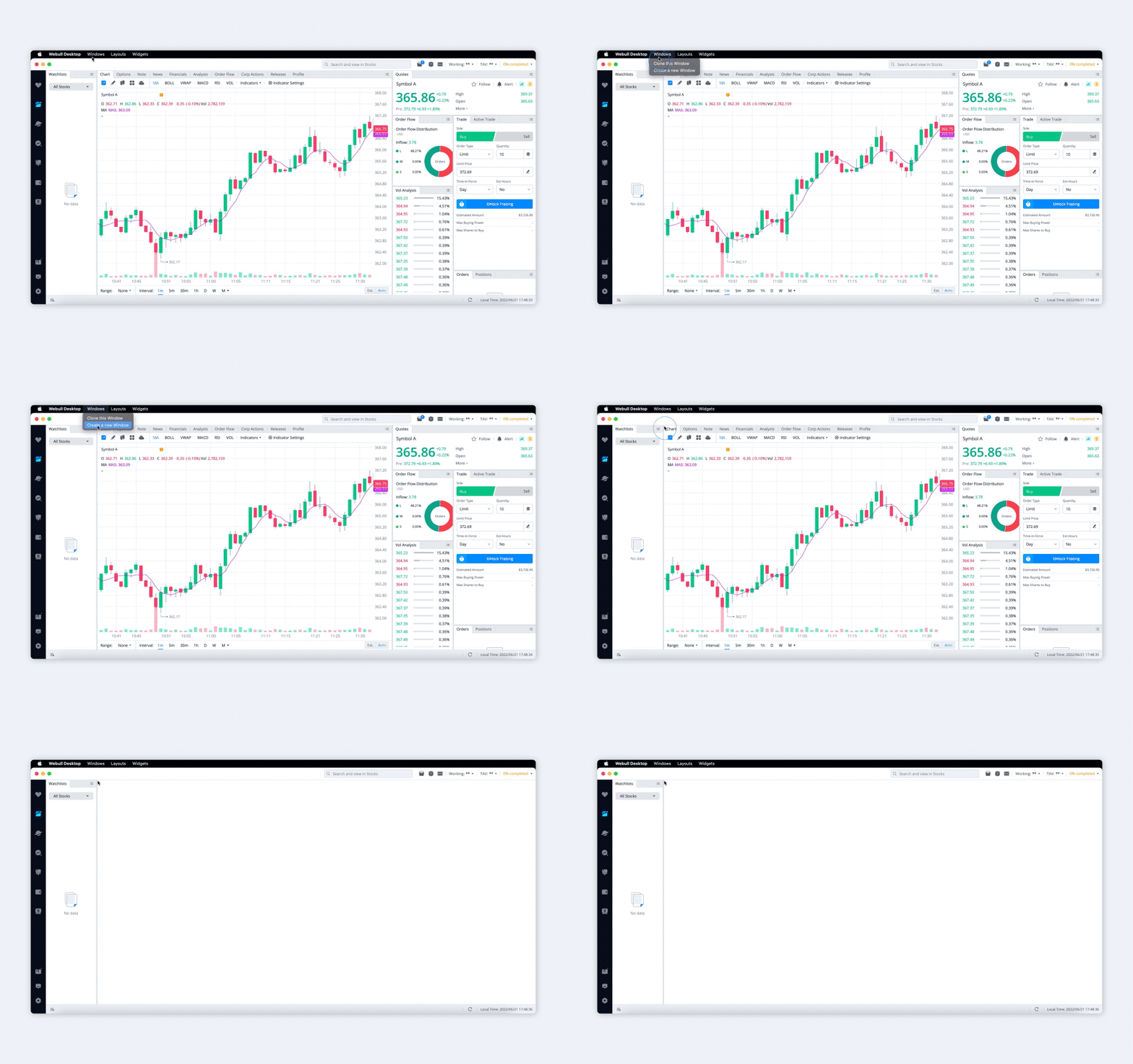
- Click “Create a new Window" in windows menu, you can create multiple windows and place them in different screens.
- All the windows you set will be restored when you restart Webull Desktop.
0
0
0
Webull Financial LLC (member SIPC, FINRA) offers self-directed securities trading. All investments involve risk. Index Option Contract Fees, Regulatory Fees, Exchange Fees and other Fees may apply. More info: https://www.webull.com/disclosures

Share your ideas here…
Lesson List
How to use Webull Desktop in multiple screens
2
Footprint Chart Tutorial: A Starter Guide for Traders
3
Custom Indicator Alerts
4
How to Use Drawing Tools on Webull Desktop App
5
How to Use the Hotkey Function on Webull Desktop Platform
6
How to Use the Customized Tick Chart on Webull Desktop Platform
7
How to Use the Price Ladder/Depth of Market on Webull Desktop
8
Practice Your Options Trading on Webull Desktop
9
Trading Event Contracts on Webull Desktop
No content on the Webull website shall be considered a recommendation or solicitation for the purchase or sale of securities, options or other investment products. All information and data on the website is for reference only and no historical data shall be considered as the basis for judging future trends.
Copyright © 2026 Webull. All Rights Reserved