Read Analysts' Opinions
Webull offers ratings of a symbol ranging from "Strong Buy to Sell." How to read Analysts' Opinions?

AuthorWebull Learn
Webull offers ratings of a symbol ranging from "Strong Buy to Sell." The analysis information is for reference only and is not equated with any investment recommendations.
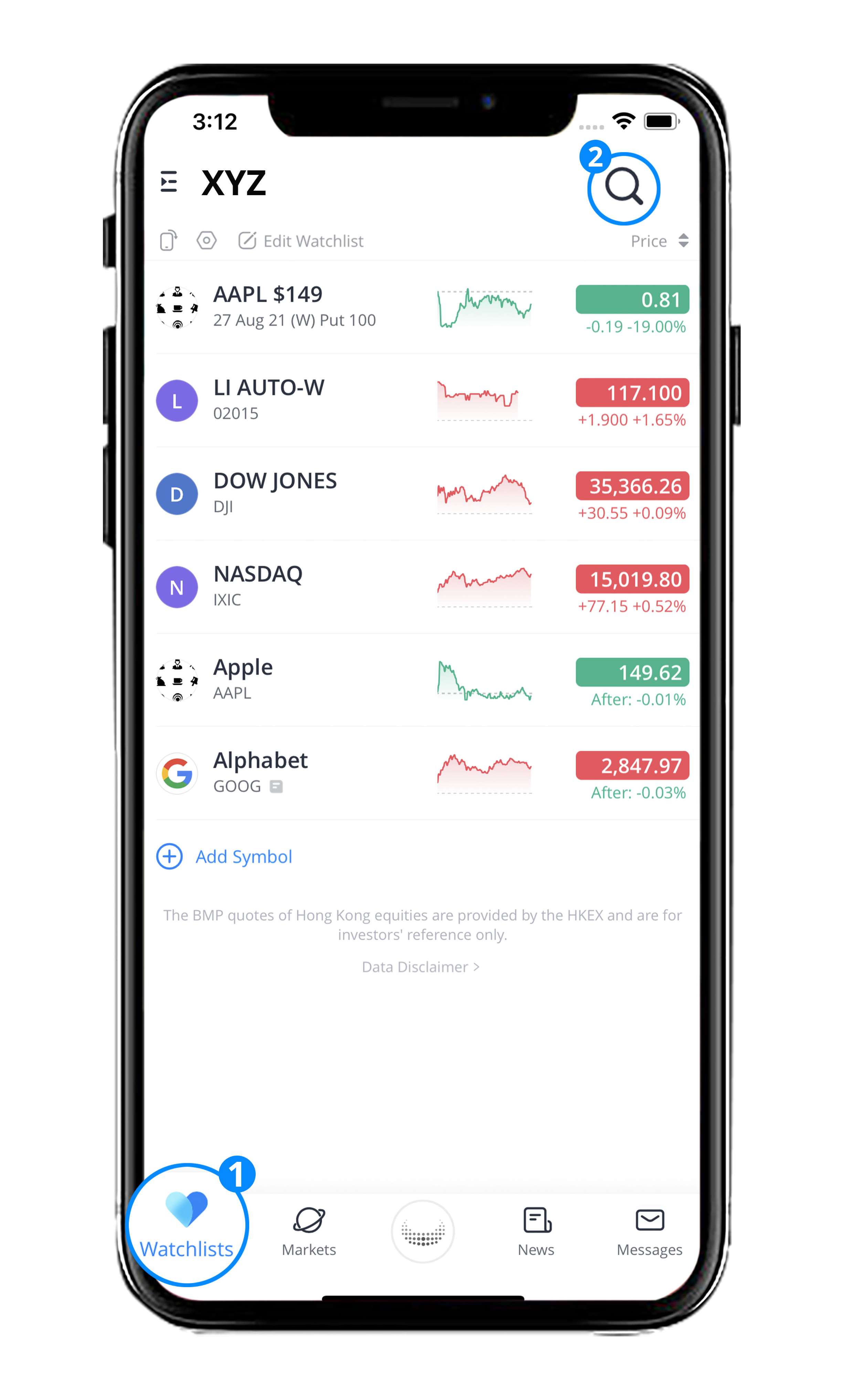
- Tap on 'Watchlists'.
- Search for a stock and enter its detailed page.
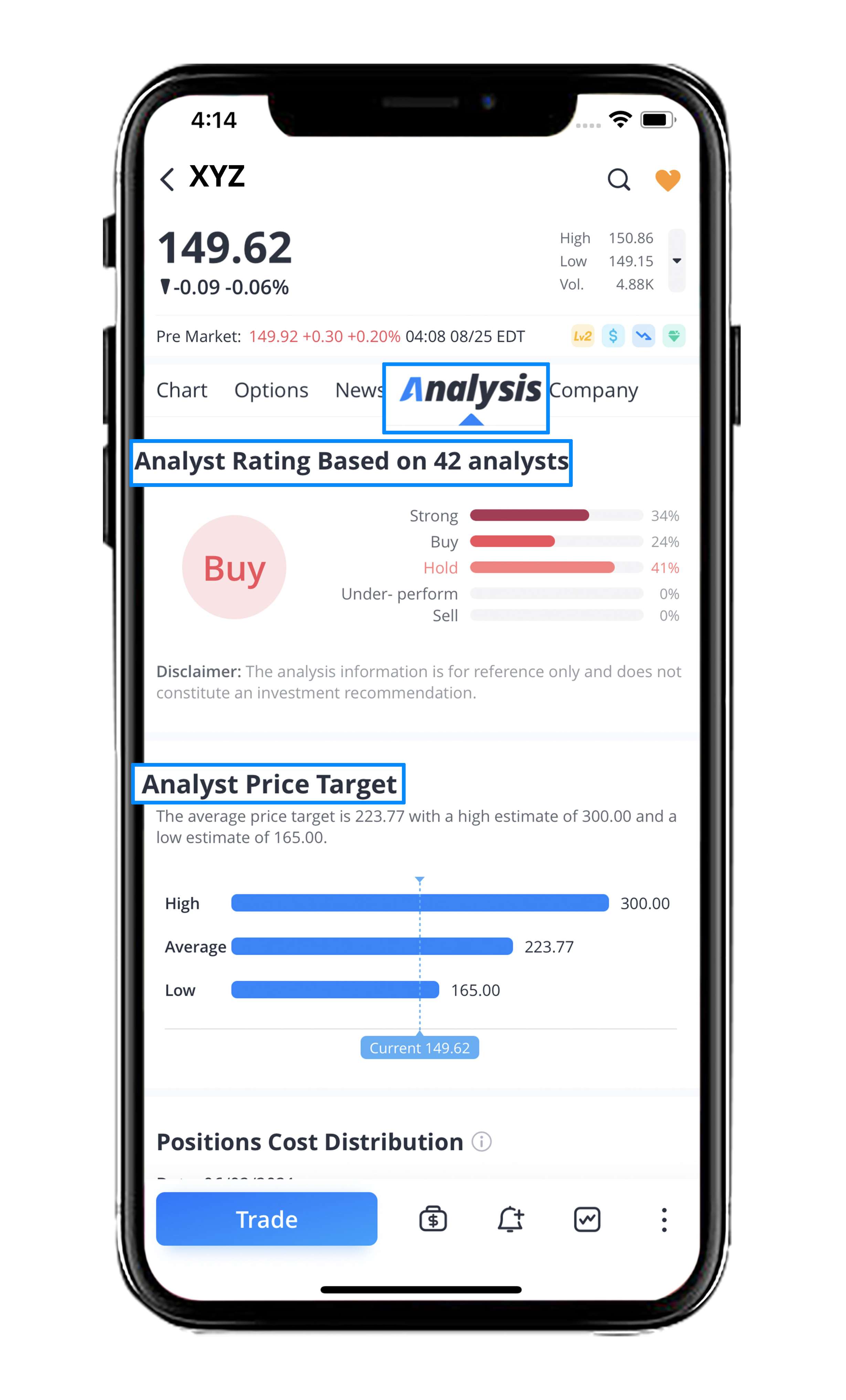
- Select 'Analysis' .
- Scroll down and you will see two sections:
- Analyst Rating
- Analyst Price Target
0
0
0
Webull Financial LLC (member SIPC, FINRA) offers self-directed securities trading. All investments involve risk. Index Option Contract Fees, Regulatory Fees, Exchange Fees and other Fees may apply. More info: https://www.webull.com/disclosures

Share your ideas here…
Lesson List
1
How do I Compare Stocks on a Chart
2
Positions Cost Distribution
3
How to Draw on Charts
4
Order Flow Distribution
5
How do I Replay a Stocks Trading Day
Read Analysts' Opinions
7
How to Customize Your Charts
8
How to Customize Indicators
9
Company Press Releases
No content on the Webull website shall be considered a recommendation or solicitation for the purchase or sale of securities, options or other investment products. All information and data on the website is for reference only and no historical data shall be considered as the basis for judging future trends.
Copyright © 2026 Webull. All Rights Reserved